2005 Volvo S80 • P2 Platform • DIM Language Guide

Turn «НЕИСПР. ЛАМПА» into crystal-clear English!

Your 2005 Volvo S80 is a Swedish tank, so why is the dashboard speaking Russian? Here is your super visual, zero-stress, step-by-step playbook to switch the dashboard computer (DIM) cleanly to English — what tools you need, where to plug in, and how to do it safely!

ТРЕБУЕТСЯ ТЕХОБСЛУЖИВАНИЕ ➔ TIME FOR REGULAR SERVICE
~15 mins Actual OBD-II flashing time
No Dash Removal 100% through the OBD-II port
No PIN Needed P2 language swap skips CEM PIN!
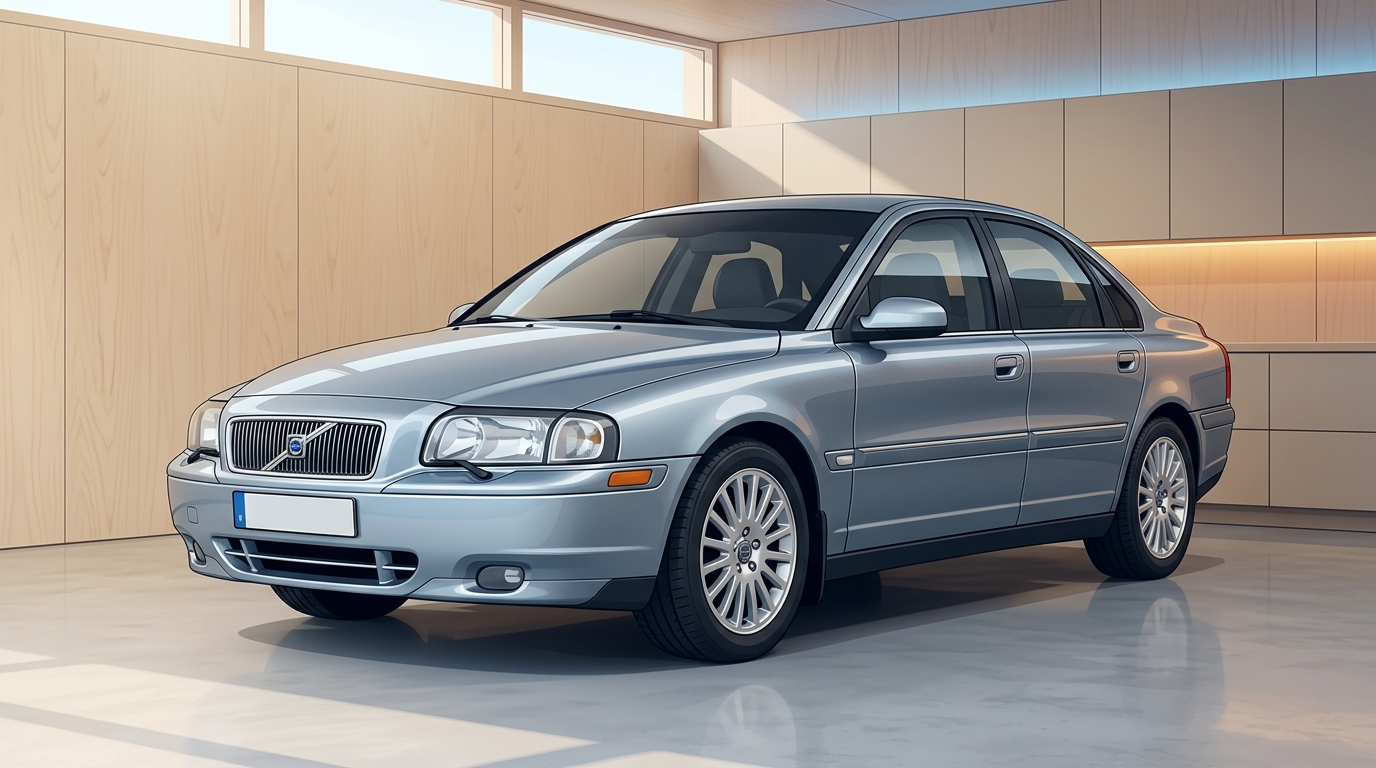
2005 Volvo S80 P2 sedan in a clean Scandinavian garage
Model: 2005 Volvo S80 (P2 Facelift) Target: DIM Cluster
First Things First

Wait… why isn’t there a Language button in the menu?

Save yourself 30 minutes of furiously pressing dashboard buttons — here is how the 2005 S80 actually works.

Myth • Won’t Work on 2005 S80

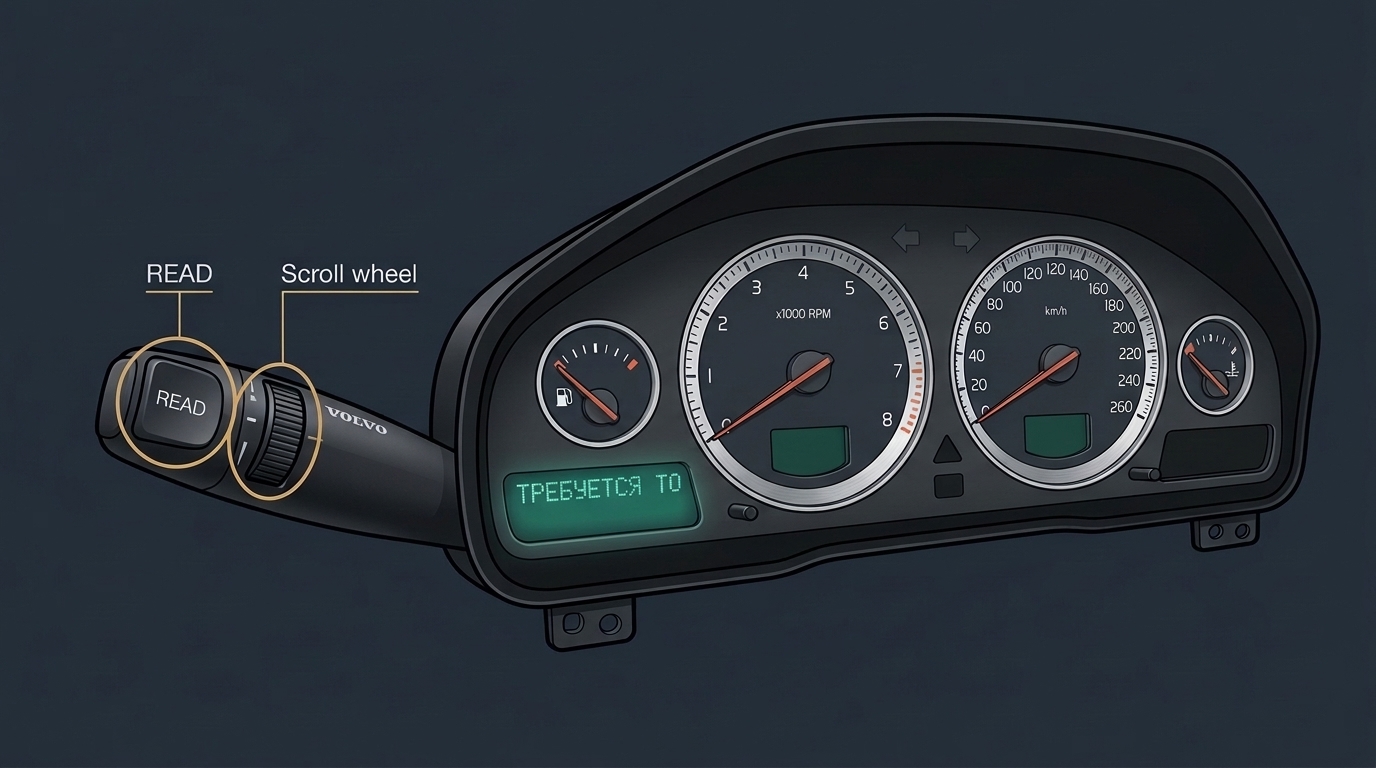
❌ Pressing the radio, READ button, or Menu

On newer Volvos (2007+ P3 generation and newer), you can pick a language straight from the center console menu. On a 2005 Volvo S80 (1st gen / P2), the dashboard text dictionary is stored inside the instrument cluster’s own flash memory (called the DIM — Driver Information Module). No secret button combo will change it!
Reality • Super Doable!

✅ Plug in via OBD-II & Flash in 15 Minutes

You don’t have to take the dashboard apart! Using a Windows laptop, a Volvo DiCE or SUPER J2534 cable, and VDASH software (by D5T5), you plug into the port by the driver’s feet and rewrite the DIM language over the cable. Even better: on P2 Volvos, changing language does NOT require a CEM security PIN!

Interactive Preview

Test Drive Your 2005 S80 Dashboard (Before & After)

Toggle between Russian and English, sweep the gauges to Ignition II, and press the virtual READ button just like on your left turn-signal stalk.

DIM Instrument Cluster Simulator
Routine maintenance reminder — not an emergency!
RPM ×1000
ТРЕБУЕТСЯ ТЕХОБСЛУЖИВАНИЕ
Сообщение 1/6 • Нажмите READ
!
184,205 km  |  +6°C
2005 Volvo S80 instrument cluster and READ stalk reference
KM/H
Tip: Your real READ button is on the tip of the left blinker stalk!
Your Garage Gear

What Tools Do You Need? (Interactive Checklist)

Gather these 5 items before heading to the car. Tick them off — your progress saves automatically in your browser!

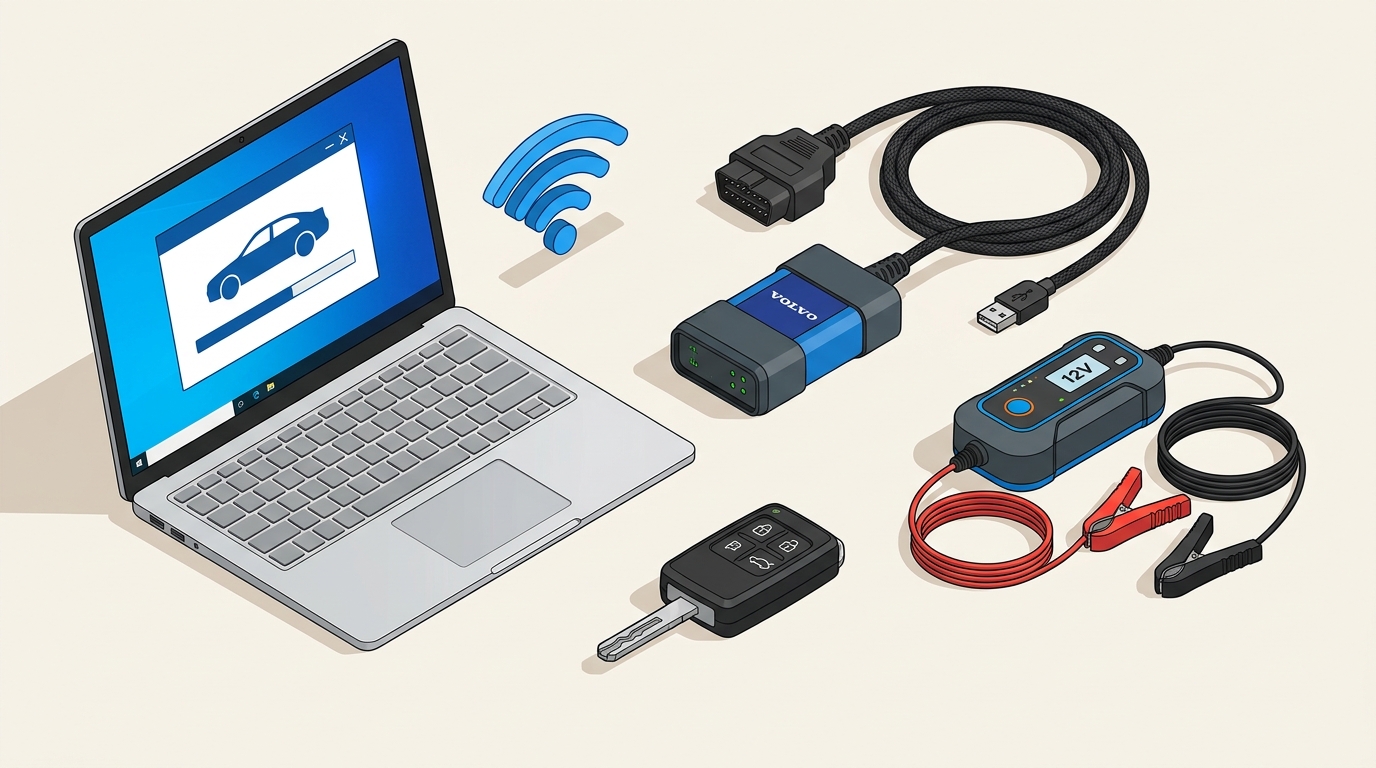
Toolkit illustration: Windows laptop, Volvo DiCE/J2534 cable, 12V battery charger, Volvo key, and Wi-Fi
The DIY Starter Pack: Windows laptop + DiCE/J2534 adapter + 12V battery charger + Wi-Fi + your Volvo key.
⚠️ Don’t Buy a $10 ELM327 Bluetooth Dongle!
Cheap OBD-II readers can read basic engine codes, but they cannot talk to Volvo’s proprietary DIM flash bus. You specifically need a D5T5 SUPER J2534, a genuine Volvo DiCE (Part #9513000), or a verified full-chip DiCE / Mongoose JLR cable.
1. Windows Laptop + Wi-Fi / Phone Hotspot
Windows 10 or 11 (64-bit). Keep laptop plugged in or above 70% battery, with internet active inside the car so VDASH can download the language file.
2. Volvo DiCE or D5T5 SUPER J2534 Cable
Best pick: D5T5 SUPER J2534 or genuine Volvo DiCE. (If borrowing a clone DiCE, make sure it’s a stable “Full Chip” USB unit — avoid flaky Bluetooth during flashing!).
3. VDASH Software + Language License
Download free from d5t5.com and make a free account. Changing DIM language requires a digital credit purchase inside VDASH (around ~$50–$60 / €45–€55 depending on currency & package).
4. 12V Battery Charger / Maintainer (10A+ Ideal)
The car sits in Ignition Position II with engine OFF during flashing. Hooking a smart charger to the under-hood charging posts keeps voltage steady above 12.2V so the car never naps mid-update!
5. Car Key & 15 Calm Minutes
Park somewhere safe with decent Wi-Fi/4G signal, and turn off headlights, A/C fan, radio, and seat heaters to save battery juice.
Tick off each item as you gather your gear! 0/5 ready
How It Travels

Click Each Step in the Data Pipeline

Curious what’s actually happening when you click “Flash”? Tap any box below to inspect the chain.

💻

1. Laptop + VDASH

Downloads English pack

🔌

2. USB Connection

Direct wired link

📦

3. DiCE / J2534

CAN-bus translator

🚘

4. OBD-II Port

Driver footwell socket

📟

5. CEM ➔ DIM

Dashboard updated!

💻 Windows Laptop + VDASH: Connects to D5T5 servers over Wi-Fi to fetch the official English language configuration for your exact VIN.
The Illustrated Walkthrough

6 Easy Steps From Russian to English

Follow these in order and you’ll be reading crisp English dashboard prompts before your coffee gets cold.

STEP 1 • PREP & POWER

Save Battery Power Before You Plug In

Because the engine stays OFF while programming, your 12V car battery is carrying the load. Let’s give it an easy life:

  • Turn the headlight switch to 0 (or parking lights if daytime running lights stay on).
  • Turn OFF the climate fan/A/C, heated seats, rear defroster, and stereo.
  • Connect a 12V smart battery charger under the hood (or jumper cables from a running second car) if your battery isn’t brand new.
  • Close the trunk/doors you aren’t using so interior courtesy lights turn off.
💡 Pro Tip: If voltage drops below ~11.5V during flashing, modules can reboot mid-write. A simple 10A battery maintainer eliminates 99% of headaches!
Parked 2005 Volvo S80 prepared for diagnostics
Park on flat ground, handbrake on, fans & heavy electrical loads turned off.
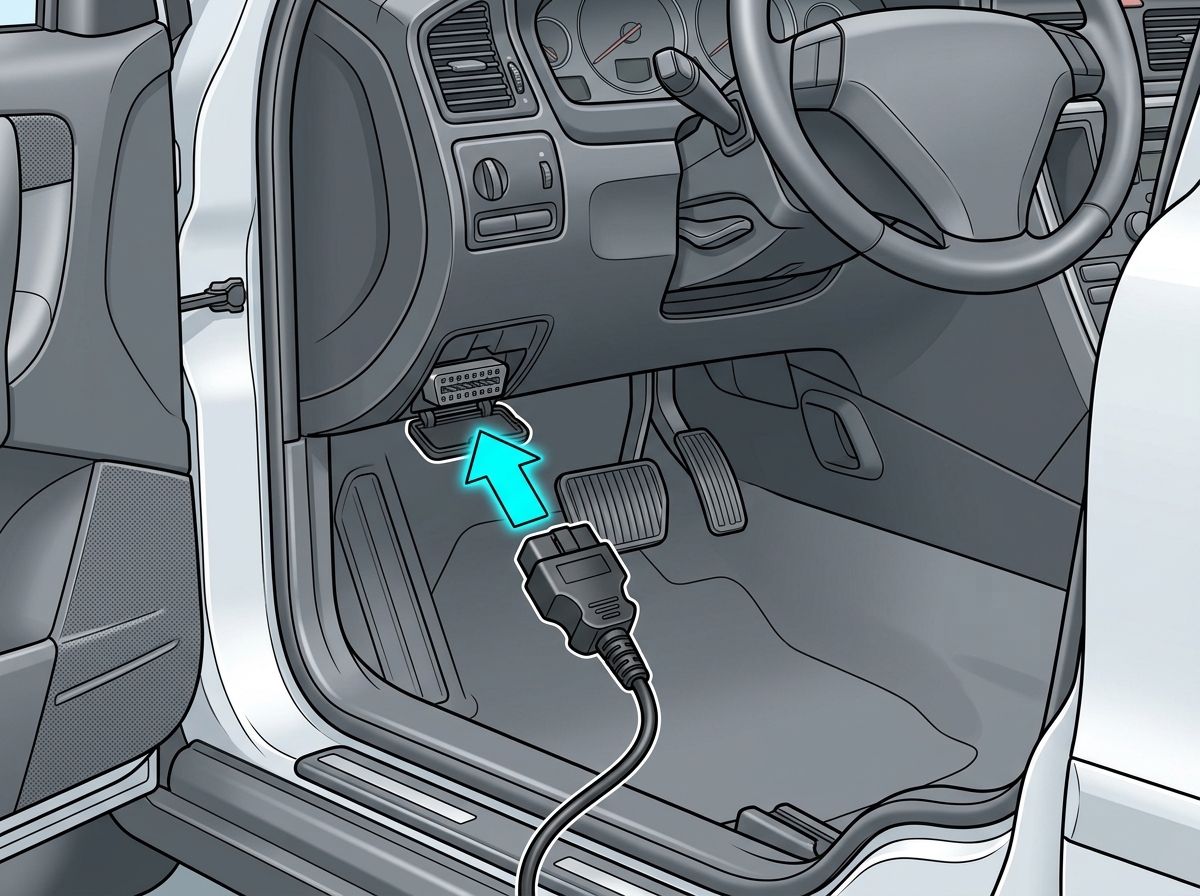
Diagram showing 2005 Volvo S80 OBD-II port location in the driver's footwell under the left dashboard edge
Look up beneath the lower dash panel on the driver’s side (near the left kick panel / steering column).
STEP 2 • FIND THE PORT

Locate & Plug Into the 16-Pin OBD-II Port

Your S80 hides its diagnostic socket neatly out of sight in the driver’s footwell:

  • Open the driver’s door and crouch down near the pedals.
  • Look upward at the bottom edge of the dashboard trim, slightly to the left of the steering column.
  • If there’s a small hinged plastic flap/cover, flip it down to expose the trapezoidal 16-pin socket.
  • Push your DiCE or J2534 OBD plug straight in until it seats firmly. (The status LED on the adapter should wake up!)
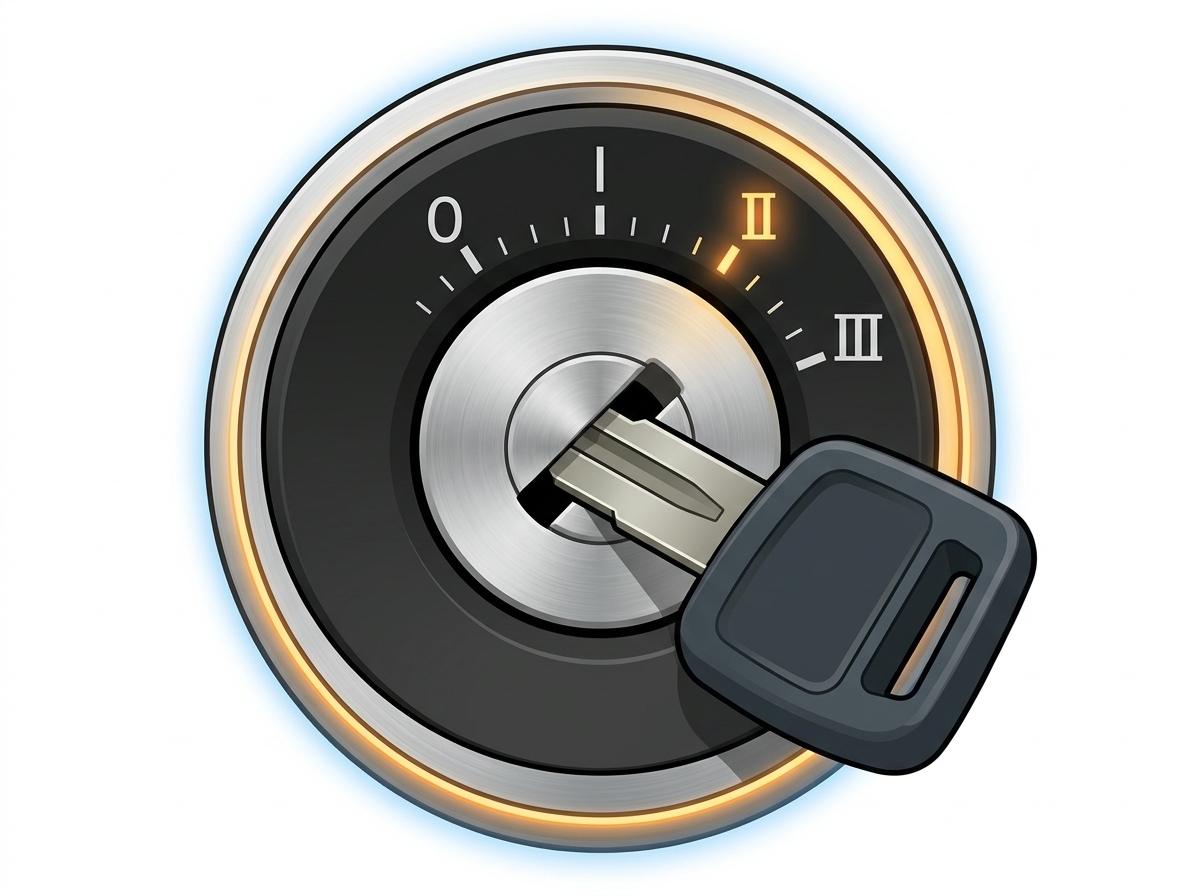
STEP 3 • IGNITION POSITION II

Turn Key to Position II (Engine OFF!)

This is the #1 spot where people get tripped up — don’t leave it in Position I, and don’t start the engine!

  • Insert your Volvo key and turn clockwise past I straight to Position II.
  • Every warning icon in the instrument cluster should illuminate — that means the CEM and DIM are fully awake!
  • Leave the key untouched at II.
Interactive Key Switch Tester — Click a position:
✅ Position II (ON — Engine Off): PERFECT! Every dashboard light turns on, fuel pump primes, and all car computers are awake and ready for VDASH!
2005 Volvo S80 ignition barrel with key turned to Position II
Position II = all dash lights ON, engine NOT running.
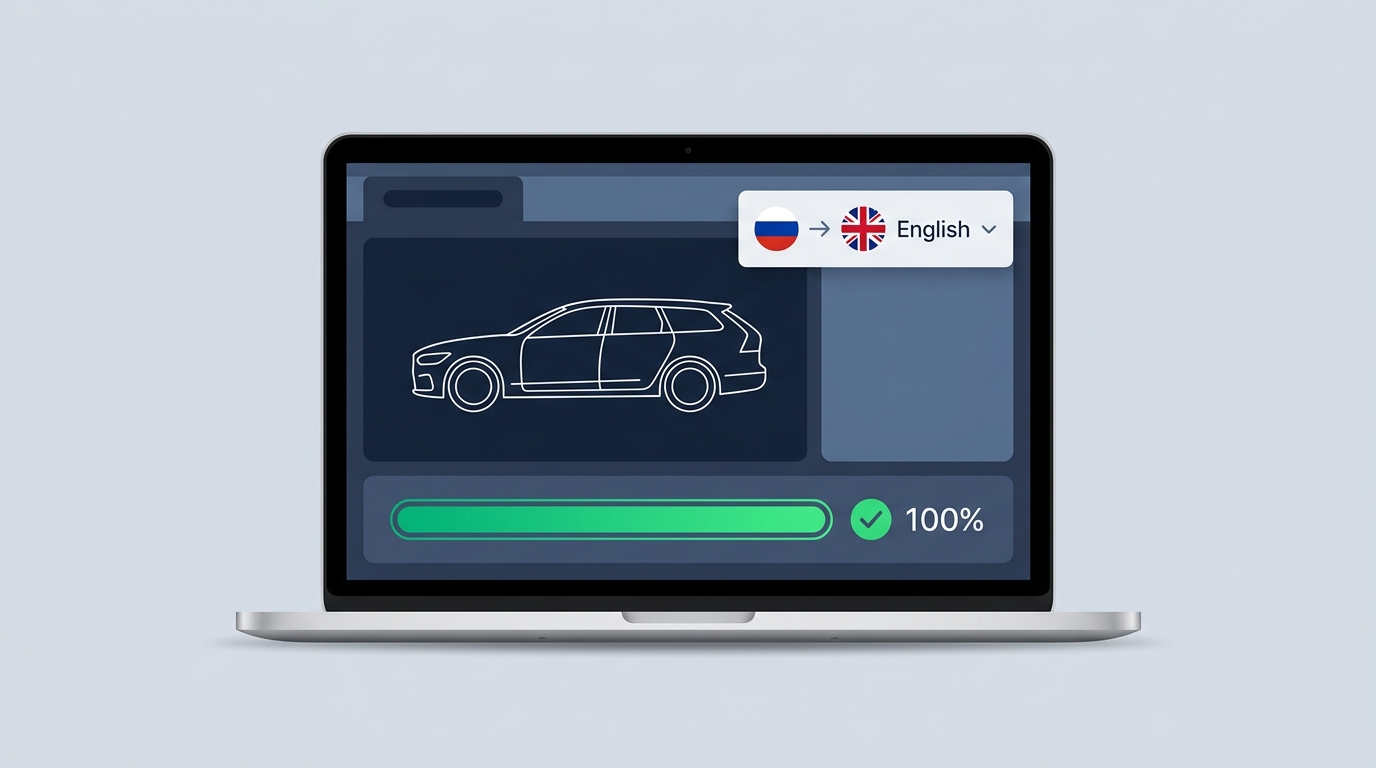
Laptop displaying VDASH diagnostic interface switching language from Russian to English with 100% progress bar
VDASH auto-reads your VIN, shows available languages, and flashes straight to the cluster.
STEP 4 • CONNECT VDASH

Plug USB Into Laptop & Auto-Detect VIN

Now let’s introduce your laptop to your Volvo:

  • Install and open VDASH on your Windows laptop and sign in to your D5T5 account.
  • Plug the DiCE / J2534 USB cable directly into your laptop (avoid loose USB hubs).
  • Make sure your laptop is online (home Wi-Fi or phone hotspot).
  • Click Connect. VDASH will automatically read your car’s VIN and confirm 2005 Volvo S80 along with live battery voltage.
🎉 Awesome P2 Bonus: Newer Volvos require decoding a secret CEM PIN first (which takes extra time/cost). On a 2005 P2 S80, VDASH normally changes the language with NO CEM PIN needed!
STEP 5 • SELECT & FLASH

Choose English in “Languages” & Flash!

Time for the main event — switching the DIM dictionary:

  • In VDASH, open the Languages section/tab.
  • Pick English (or another supported language like Estonian/German/Swedish if listed for your DIM) and click Add / Apply.
  • Complete the one-time digital language license checkout inside VDASH and confirm the flash prompt.
  • Hands off! Don’t touch the key, unplug USB, or slam doors while the progress bar moves. Your dashboard needles or LCD may blink off briefly as the DIM reboots — totally normal!
Try the Flash Animation:
Ready — click Start Simulated Flash to preview!
2005 Volvo S80 instrument cluster DIM display and READ button stalk
Note: Flashing the DIM translates all cluster warnings & trip computer messages. (If equipped with optional factory phone/RTI nav, those units have separate settings.)
🇸🇪 ✨ 🇬🇧

Welcome to English!

Turn key to 0 ➔ wait 30 seconds ➔ turn to II ➔ press READ on the left stalk!

STEP 6 • REBOOT & VERIFY

Cycle the Key, Clear Any Blink Codes & Enjoy!

Almost done — just two quick finishing touches:

  • Once VDASH says Done / Success, turn the ignition key back to 0 and wait ~30 seconds so the car’s computers go to sleep cleanly.
  • Turn the key back to Position II (or start the engine) and press the READ button on the turn-signal stalk. Everything should now greet you in English!
  • (Optional) Run a quick Read & Clear DTCs scan in VDASH — sometimes modules log a harmless temporary “lost comms with DIM” code while the cluster rebooted.
  • Unplug your OBD-II cable, close the footwell cover, and unhook your battery charger.
Survival Cheat Sheet

Until You Flash It: Russian → English DIM Decoder

Got a mysterious Cyrillic warning on the dashboard right now? Search or filter below to see what your S80 is trying to tell you!

Choose Your Route

3 Ways to Get It Done (DIY vs Shop vs Dealer)

Whether you want to DIY in your driveway or hand the keys to a Volvo specialist, here is how the options stack up.

Zero Effort Option

2. Independent Volvo Specialist

~€40–€90

Independent Volvo workshops and cluster specialists already own VDASH, IO-Terminal, or SMOK tools. Just ask: “Can you change the DIM language on a 2005 S80 P2 from Russian to English?”

  • No need to buy or borrow any cables
  • Usually done while you wait (15–20 min)
  • Great if you don’t have a Windows laptop
Official Route

3. Authorized Volvo Dealership

~€100–€200+

Dealers use official online VIDA connected to Volvo’s central servers to download a factory language application package for your VIN.

  • 100% factory Volvo software
  • Higher shop labor + software package fee
  • Some market-locked VINs may restrict cross-region swaps
Quick Answers

Frequently Asked Questions

No. Offline VIDA 2014D/2015D can read fault codes, clear service lights, and view repair manuals, but it cannot download software packages (like language packs) because those come live from Volvo’s paid central servers. Use VDASH with the same DiCE cable instead!

No! Flashing a DIM language pack in VDASH only updates the display text configuration. Your odometer reading, immobilizer keys, and car settings remain untouched.

That is completely normal when the DIM finishes writing and reboots itself! Keep your hands off the key and wait for VDASH to say the process is 100% finished.

Flashing the DIM changes all driver messages, trip computer, and warnings on the speedometer cluster. If your 2005 S80 has the optional built-in phone module (PHM) or pop-up RTI navigation screen, those are separate modules (and RTI often uses its own map/language DVD).

Once you connect VDASH to your car, it reads your exact DIM hardware version and displays every supported language available for that cluster. English, German, Swedish, and many European languages are commonly supported (availability depends on the exact P2 DIM model year/hardware).

Ready to Give That 2005 S80 Its Voice Back? 🚘✨

Grab a Windows laptop, borrow or pick up a DiCE / SUPER J2534 cable, hook up a charger, and follow the 6 steps above. You’ve totally got this!

↑ Back to Top